Spotify Storage Hog? Why the Music App Eats iPhone and Android Space and How to Fix It
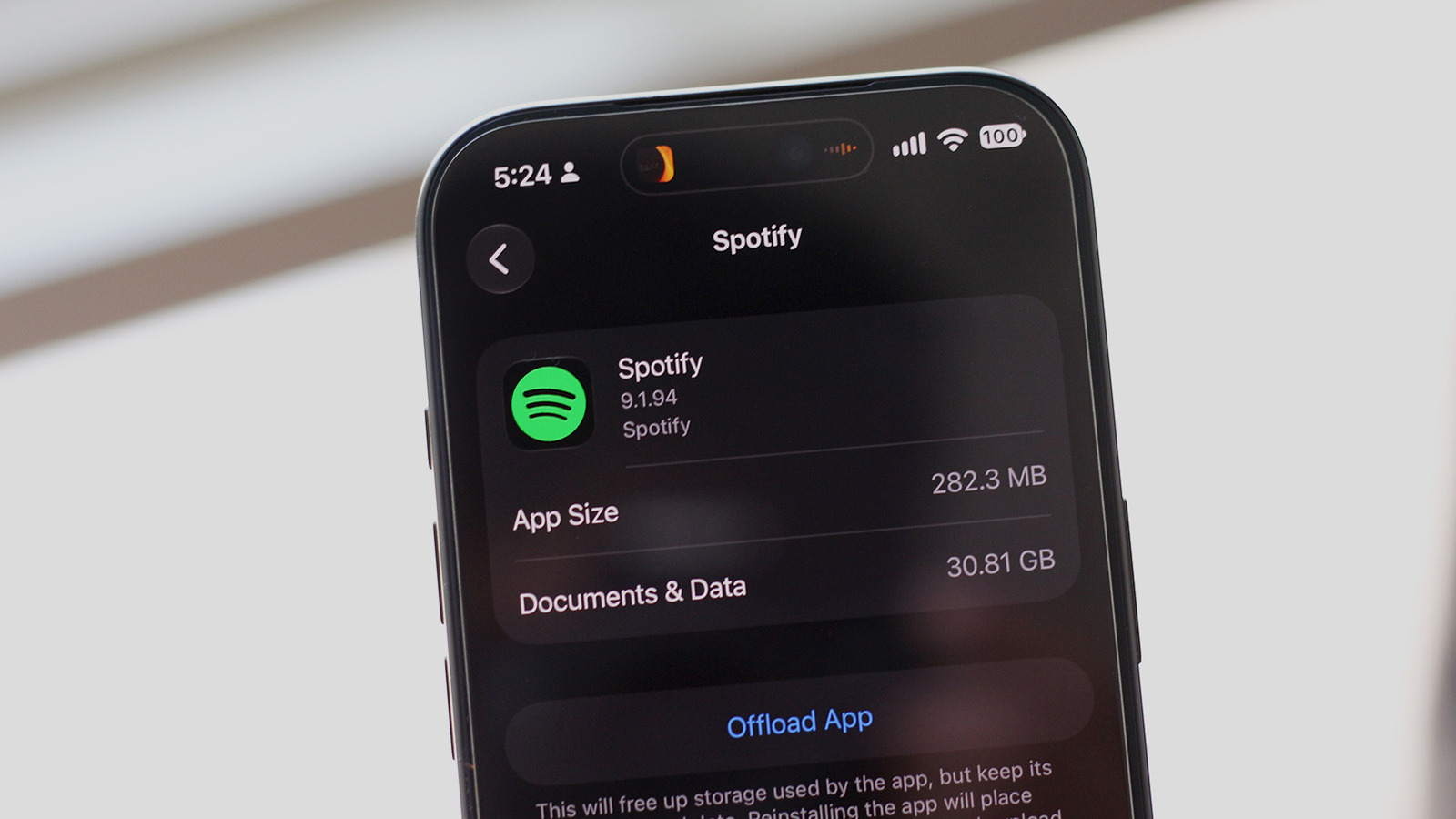
Spotify remains one of the most popular music streaming services, but many users are discovering that the app can quietly consume gigabytes of storage on both iPhone and Android devices. The culprit is often cached songs, downloaded playlists, and podcast episodes that accumulate over time, even after you stop listening. Without regular maintenance, Spotify can easily balloon to 10GB or more, leaving little room for photos, videos, and other apps. The issue is not a bug but a feature: Spotify caches music to ensure smooth playback and offline listening. However, the app does not automatically clear old cache data unless you adjust settings or manually delete it. For iPhone users, the only built-in option is to delete and reinstall the app, while Android users can clear the cache directly in the app’s settings. Additionally, reducing audio quality for downloads and disabling automatic downloads for podcasts can significantly reduce storage usage. Why it matters: With smartphone storage still limited on base models—many iPhones start at 128GB—every gigabyte counts. A bloated Spotify app can slow down your device, prevent OS updates, and force you to delete precious media. By taking a few minutes to manage Spotify’s storage settings, you can reclaim space and keep your music streaming without compromise. Take control of your device’s storage today—your future playlists and photo library will thank you.